Widgets
More for the information screen.
Past the built-in clock, weather and calendar, the gallery has more: crypto prices, rocket launches, the space station, your GitHub stars. Anyone can add to it. Each widget has been checked to run on the TV and reviewed by a person, and you can see what it connects to before you add it.
- 1
In ArtFrameRemote, open Screen › Cards.
- 2
Click Browse Gallery… and add the ones you like.
- 3
Click Apply to TV. They appear on the TV the next time the information screen does.
Crypto price
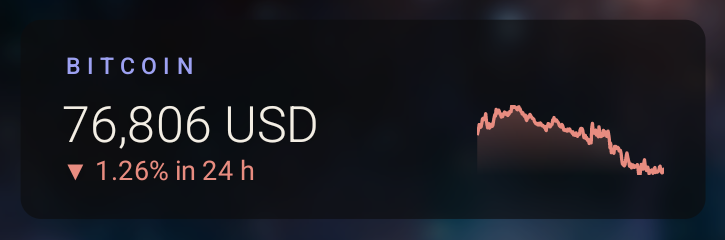
A coin's price with its last 24 hours as a sparkline (CoinGecko)
- Connects to api.coingecko.com
GitHub repository
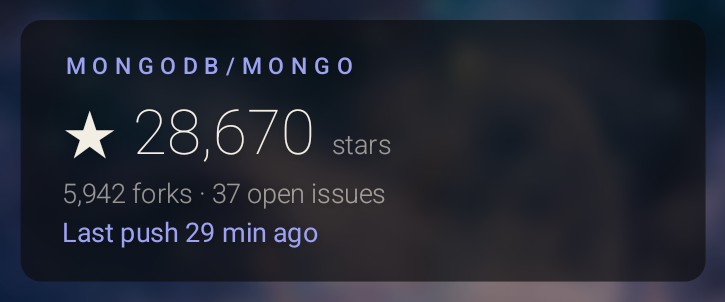
Stars, forks and open issues for a repository
- Connects to api.github.com
Next SpaceX launch
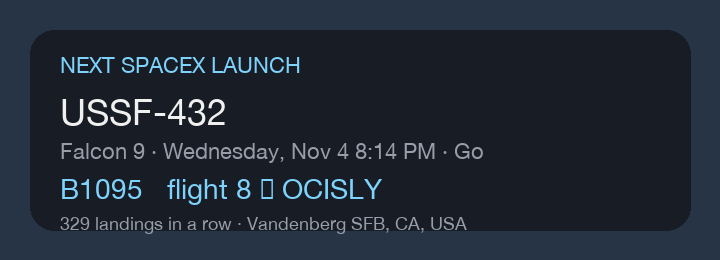
The next SpaceX launch, with the booster flying it, how many times it has flown and where it will land (Launch Library 2)
- Connects to ll.thespacedevs.com
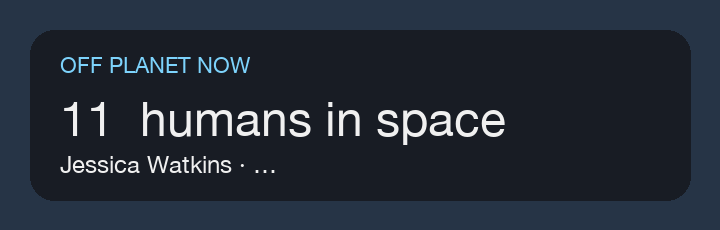
People in space
How many humans are off the planet right now, and who they are (Launch Library 2)
- Connects to ll.thespacedevs.com
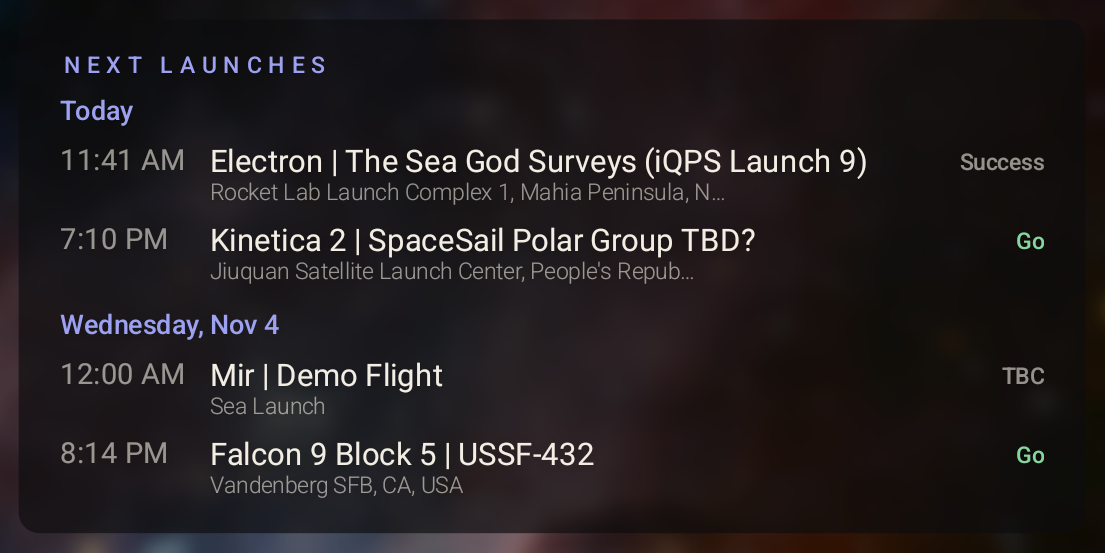
Rocket launches
The next launches anywhere in the world (Launch Library 2)
- Connects to ll.thespacedevs.com
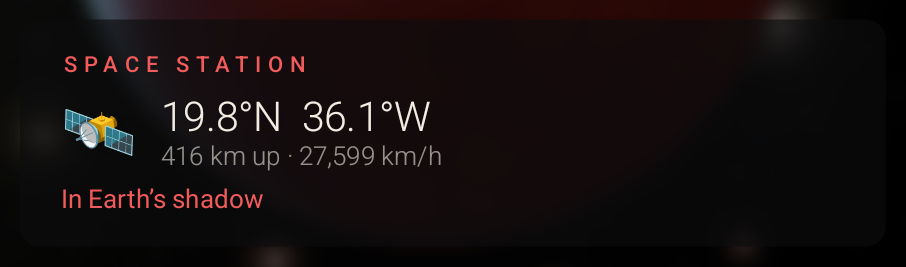
Space station
Where the International Space Station is right now
- Connects to api.wheretheiss.at
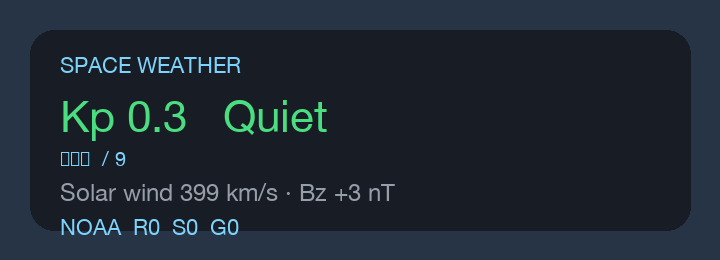
Space weather
Planetary Kp index, solar wind and NOAA storm scales, the weather that matters to satellites in low Earth orbit
- Connects to services.swpc.noaa.gov
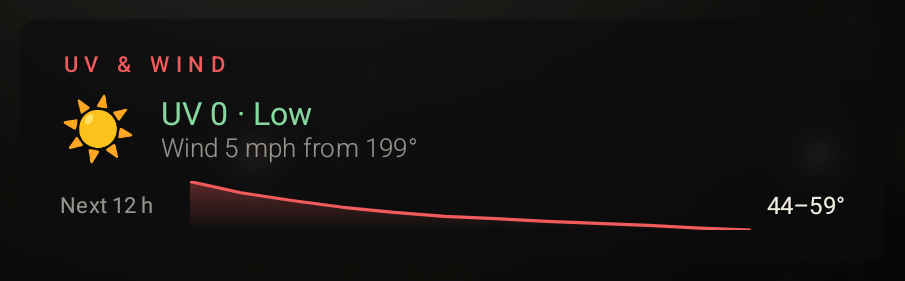
UV and wind
UV index, wind and the next 12 hours of temperature, straight from Open-Meteo
- Connects to api.open-meteo.com

Year progress
Week, day of the year and how much of it has gone, on the art itself
- Doesn't go online
Safe to add, by design.
No code
A widget is a description, not a program. It can fetch its data and show text, bars and lines, and nothing else: it can't change settings or see anything else on your TV.
Only the sites it names
Every site a widget fetches from is written in the file, and the TV refuses any other. The Mac app shows you each one, and what of yours goes there, before you add it.
Checked twice
Each widget is tested by the same code the TV runs and reviewed by a person. The app checks every download against the gallery's fingerprint for it.
Make your own.
A widget is one JSON file: where the data comes from, and how to lay it out. If an API answers with JSON, RSS or text, you can put it on the TV, then share it here. Or have Claude, Codex, Cursor or ChatGPT write it for you.